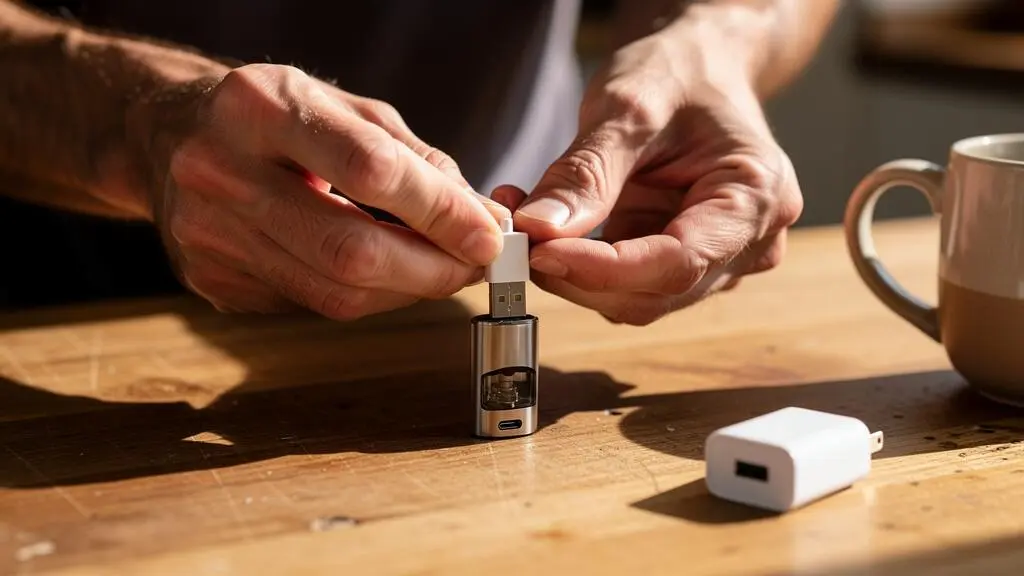
A built-in USB port is an appropriate way to charge a vape device when the manufacturer has designed and approved that port for battery charging, the power supply matches the device’s specifications, and the connector remains in good condition. The presence of a USB-C or micro-USB socket alone does not establish that every charging method is suitable.
For most rechargeable pod systems and sealed-battery vapes, USB charging is the intended charging method. Removable-battery mods require a more careful decision, particularly when several lithium-ion cells operate together. The battery configuration, onboard charging electronics and manufacturer’s instructions determine whether the USB connection should be used routinely or whether an external charger is preferable.
Connector condition matters just as much as charger compatibility. Repeated cable movement, contaminated contacts and damaged sockets can make charging unreliable or potentially hazardous. Understanding which warning signs require immediate action helps protect the charging circuit and battery without relying on guesswork.
Built-in USB vape charging: essential points
- Use built-in USB charging when the manufacturer explicitly supports it, particularly on devices with integrated batteries.
- Match the power supply to the device’s charging specification, inspect the connector and charge on a stable, visible surface.
- Prefer a suitable external charger for removable cells when recommended, and stop using any USB port that overheats, sparks or requires cable manipulation to maintain contact.
- Why Is Built-In USB Charging More Suitable for Some Vape Devices Than Others?
- How Do You Charge a Vape Through USB Without Damaging the Port?
- Built-In USB or External Charger: Which Better Fits Your Battery Type?
- Which USB Port Problems Make Charging a Vape Unsafe or Unreliable?
- When Should You Stop Using a Worn Vape USB Port?
- External Charger or Built-In USB: Which Better Suits Removable Batteries?
- How Should You Charge a Built-In Vape Battery to Reduce Premature Wear?
- Which Habits Help Preserve Vape Battery Longevity?
Why Is Built-In USB Charging More Suitable for Some Vape Devices Than Others?
Built-in USB charging is generally most appropriate for pod systems and devices with non-removable batteries because their charging electronics are designed around an integrated battery. Removable-battery mods require greater scrutiny, especially when multiple cells are involved. The decisive factor is not device size or power output alone, but whether the manufacturer designed and approved the onboard charging system.
A typical rechargeable pod system combines a lithium-ion battery, USB connector and charge-management circuitry in one enclosure. The charging controller regulates current and voltage according to the battery’s requirements, while appropriate protection circuitry can help prevent operation outside specified electrical limits.
Lithium-ion charging requires controlled current and voltage, followed by appropriate charge termination. Battery University’s technical guidance explains that continuous trickle charging is unsuitable for lithium-ion cells and that charging must respect the chemistry’s specified limits.
However, the presence of a protection circuit should never be assumed merely because a vape has a USB socket. The actual design, protection functions and charging restrictions depend on the model.
| Device category | Typical USB role | What to verify |
|---|---|---|
| Rechargeable pod system | Primary charging method for its integrated battery | Manufacturer-approved input, cable and charging conditions |
| Internal-battery regulated mod | Normal charging method when expressly supported | Charging current, operating temperature and pass-through support |
| Single removable-cell regulated mod | Charging may be supported, but external charging can be preferable | Whether the USB port is approved for charging rather than data or firmware functions alone |
| Multi-cell regulated mod | Suitability depends on the onboard charging design | Cell monitoring, applicable balancing arrangements and manufacturer recommendations |
| Mechanical mod | No inherent regulated charging function | Use an appropriate external charger unless a separate, explicitly approved charging system is provided |
High-output mods can also demand considerable battery power while firing. That does not mean their USB charging input must deliver the same power: charging and operating loads are separate design considerations. A high-wattage regulated mod may still have a properly engineered USB charging system.
One less obvious distinction concerns pass-through vaping, where a device operates while connected to USB power. This feature should only be used when the manufacturer explicitly supports it. Charging while simultaneously drawing power can complicate charge termination unless the electronics manage both functions correctly.
Check the user manual for wording such as « pass-through supported », « USB charging », charging input limits and restrictions on operating during charging. If those details are unavailable, contact the manufacturer rather than treating the USB connector as proof of compatibility.
Once the device’s charging capability is established, everyday connector handling becomes the next important variable. Even a suitable charging circuit cannot compensate for repeated mechanical damage to its USB socket.
How Do You Charge a Vape Through USB Without Damaging the Port?
Charge a USB-equipped vape by using the manufacturer-approved cable and compatible power source, aligning the connector carefully and keeping the device stationary on a clean, flat surface. Inspect the socket before connecting it, avoid any sideways cable tension, supervise charging and disconnect the device when charging is complete. Never force a connector or continue charging through an unstable connection.
For UK users, the UK government advice on e-cigarette battery safety recommends using the charger supplied with the device, following its safety instructions, checking charging regularly and avoiding overnight charging.
A repeatable charging procedure helps prevent small handling mistakes from becoming permanent connector problems:
- Inspect the port and cable. Look for dust, liquid contamination, deformation, damaged cable insulation or an unusually loose connector. Do not insert objects into the port to investigate suspected internal damage.
- Check charger compatibility. Use the supplied or manufacturer-approved power equipment. Compare the device’s documented input requirements with the power source.
- Insert the connector gently. Align it correctly, without twisting or pressing sideways. USB-C is reversible, whereas micro-USB has a specific orientation.
- Position the device securely. Place it on a clean, stable, non-flammable surface where the cable is not stretched, bent sharply or likely to be pulled.
- Monitor and disconnect. Watch for abnormal heat or charging interruptions, then unplug when the normal full-charge indication appears.
Different USB power sources can be appropriate, but their labels and operating behaviour need to be understood.
| Power source | Compatibility considerations | Practical decision |
|---|---|---|
| Manufacturer-supplied wall charger | Intended to match the manufacturer’s charging instructions | Use as directed, provided it remains undamaged |
| Standard USB wall adapter | Output voltage and supported current must suit the device | Use only where the manufacturer permits a compatible alternative |
| Laptop USB port | Actual available current depends on the port and USB configuration | Use only if compatible and charging is supported by the device instructions |
| USB-C Power Delivery charger | Higher voltages normally require successful protocol negotiation | Do not assume compatibility from the USB-C connector alone; verify manufacturer approval |
A high-wattage USB-C Power Delivery adapter does not ordinarily force its maximum voltage or wattage into a connected device. Compliant USB-PD equipment negotiates supported power profiles. Nevertheless, a vape with basic or undocumented USB electronics should not be assumed compatible with every fast-charging system, particularly when adapters, cables or charging specifications are uncertain.
Where a charger label lists multiple outputs, distinguish the standard USB output from negotiated fast-charge profiles. An adapter’s maximum current rating is not, by itself, the current forced into the battery; the device’s charge controller ordinarily regulates charging demand.
A simple visual inspection is especially useful for devices charged every day. Look at the port before inserting the cable, check whether the connector fits normally without pressure, and observe whether the charging indicator behaves consistently while the device remains completely stationary. Never deliberately wiggle a suspect connector while charging to make it work.
A pocket, tightly packed bag or moving vehicle is a poor charging environment because cable movement can apply leverage to the socket. Repeated sideways loading may wear the connector or strain its mounting points.
Five checks before charging your vape through USB
- Find the manufacturer’s charging specification and confirm that the selected power supply is approved; the result is a verified charger–device match.
- Inspect the cable insulation, connector and socket under good lighting; the result is a visible pass or a reason to stop.
- Set the device on a clean, level surface away from combustible materials; the result is a stable charging position.
- Connect the cable without forcing or bending it and confirm normal charging indication; the result is a steady connection requiring no adjustment.
- Remain available to check the device, observe its temperature and unplug when charging finishes; the result is a completed, supervised charging session.
If charging requires unusual pressure, produces abnormal warmth or behaves unpredictably, stop rather than continuing to test the connection repeatedly. The next decision is whether USB charging is suitable for the underlying battery architecture at all.
Built-In USB or External Charger: Which Better Fits Your Battery Type?
Built-in USB is usually the practical charging method for a non-removable vape battery because the device contains its own charging electronics. For removable lithium-ion cells such as 18650, 20700 and 21700 batteries, a compatible external charger is often preferable, particularly when the manufacturer recommends one. The important distinction is battery architecture, not simply connector convenience.
With an integrated battery, the user normally cannot remove the cell for independent charging or routine inspection. The device’s charging controller must therefore handle the battery’s specified charging process. An external charger is not a suitable alternative unless the manufacturer has designed a removable battery arrangement.
Removable cells introduce additional considerations. A dedicated charger designed for the correct lithium-ion chemistry can provide individual charging control, charge termination and, depending on its design, useful cell-status information. These functions are valuable for detecting inconsistencies between batteries before they are returned to a mod.
However, external chargers are not automatically safer or more accurate than every onboard USB system. The comparison depends on the quality, compatibility and protection features of the specific charger and mod.
| Criterion | Built-in USB | External charger |
|---|---|---|
| Non-removable battery | Normal option when manufacturer-approved | Generally not applicable |
| Single removable cell | May be supported by a regulated mod | Allows separate charging and inspection |
| Multiple removable cells | Depends on onboard cell-management design | Individual charging bays can control cells separately |
| Battery inspection | Limited when the battery remains inside | Provides an opportunity to inspect wraps and contacts |
| Daily convenience | No battery removal required | Useful when rotating interchangeable cells |
| Connector wear | Repeated use of the mod’s USB socket | Reduces reliance on that socket for charging |
The distinction becomes more important when several cells operate together. A multi-cell mod needs an appropriate electrical design to manage its battery configuration. Some regulated devices incorporate suitable monitoring and charging arrangements, while others recommend or require external charging.
For devices using multiple removable cells, an external charger with independently controlled bays may simplify monitoring and rotation. Battery pairing and replacement requirements should still follow the mod manufacturer’s instructions.
Battery lifespan does not depend on achieving a complete discharge-and-recharge cycle. Lithium-ion batteries can be charged partially, and unnecessary deep discharges are generally undesirable. Consequently, frequent partial top-ups are not inherently harmful simply because they occur through USB.
The more meaningful factors are temperature, time spent at high charge levels, charging control and the condition of the battery.
External charging also becomes a practical logistics choice when an adult user rotates spare batteries. Cells can be inspected before charging, kept in suitable protective cases and returned to service according to a consistent rotation routine.
Whichever method is selected, the charging connection must remain mechanically and electrically sound. A device may have the right battery management yet still develop faults at its USB socket.
Which USB Port Problems Make Charging a Vape Unsafe or Unreliable?
USB charging becomes unreliable when the connector no longer makes consistent contact, and potentially unsafe when the port shows heat damage, deformation, exposed conductors or signs of an electrical fault. Dust and minor wear can interfere with charging, but they cannot be assumed harmless. Abnormal heat, sparks, burning smells or intermittent electrical contact require charging to stop.
USB sockets experience mechanical loading whenever a cable is inserted, removed or pulled sideways. Over time, a connector may lose its normal retention, accumulate contamination or develop damage to its internal contacts and mounting points.
These problems are not equivalent. A superficial scratch on the surrounding casing is different from a bent contact inside the socket, while a loose charging indicator may have several possible causes.
| Observed condition | Possible significance | Appropriate response |
|---|---|---|
| Visible dry debris around the opening | May prevent proper connector insertion | Disconnect power; follow manufacturer-approved cleaning guidance |
| Minor cosmetic wear with normal connector fit | May not affect electrical operation | Inspect regularly and watch for changing symptoms |
| Loose connector or intermittent charging | Possible worn contacts, damaged cable or socket fault | Stop charging and arrange further assessment |
| Bent or broken internal contact | Potential poor connection or short circuit | Do not reconnect; seek professional assessment |
| Cracked connector mounting or exposed wiring | Possible internal electrical damage | Remove from service |
| Melting, discolouration, sparks or burning smell | Potential overheating or electrical failure | Disconnect if safe and stop using the charging port immediately |
A loose cable is not necessarily proof that the port’s internal electrical contacts have failed. The cable itself may be worn, or the socket housing may have developed mechanical play. Nevertheless, unreliable contact should not be treated as normal operation.
Warning signs requiring particular attention include heat concentrated around the USB connection, repeated charging interruptions, a flickering indicator while the device is stationary, sparking or an unusual smell. None should be dismissed merely because the battery eventually reaches a full-charge indication.
The electrical consequences depend on the actual fault. Poor contact can produce local resistive heating. Damaged conductors may create unintended electrical paths, while a compromised charging circuit could fail to regulate the battery as designed.
It would be inaccurate to conclude that every intermittent connection causes battery overcharging. Appropriate charge-management circuitry may prevent that outcome. The problem is that an unexplained connector fault does not provide enough information to establish continued safety.
The FDA recommendations for preventing vape battery fires emphasise following manufacturer instructions, using recommended batteries and supervising charging. The agency also acknowledges uncertainty about the precise causes of vape battery fires and explosions.
Where a charging problem involves possible heat or electrical damage, visual examination alone cannot establish that internal components remain safe. Opening a sealed vape, probing its charging circuitry or attempting to bend internal USB contacts back into place can create further hazards.
A port that repeatedly interrupts charging should be taken out of charging service until the cause is resolved. This naturally leads to the more consequential question: when is continued use no longer justified?
When Should You Stop Using a Worn Vape USB Port?
Stop using a vape USB charging port immediately if it shows melting, deformation, exposed conductors, liquid intrusion, abnormal heat, sparks or a burning smell. Charging that only works when the cable is held at an angle is also a reason to stop. Minor cosmetic wear may be acceptable, but electrical reliability and connector integrity must remain normal.
The distinction between wear and damage is important. A lightly scratched exterior does not necessarily compromise charging. By contrast, a connector that moves within its housing or repeatedly loses contact may have mechanical or electrical damage that cannot be confirmed safely by looking at the outside.
Do not continue charging through an unreliable connector in the hope that a particular cable angle will make it usable. Holding a cable against a damaged contact may temporarily restore the charging indicator without correcting the underlying fault.
A safe initial assessment should be limited to checking the device while disconnected. Inspect the exterior under good lighting, note any visible damage and consult the manufacturer’s fault guidance. If the port is visibly sound but charging has become unreliable, a manufacturer-approved replacement cable can be considered only where there are no signs of overheating, contamination or physical socket damage.
Do not repeatedly reconnect a suspect port, force different cables into it or attempt an electrical test while the battery remains connected.
The appropriate alternative depends on the battery configuration:
- Removable-battery device: if the manufacturer permits external charging and the batteries are undamaged, a suitable external charger may remove the need to use the mod’s USB port. The device itself should not remain in use if port damage suggests a wider electrical fault.
- Sealed-battery device: ask the manufacturer or retailer whether an authorised repair or replacement is available. Do not improvise an external battery connection.
- Device with suspected internal damage: discontinue use and arrange qualified assessment or appropriate disposal.
If the connector is physically damaged, a repair should restore the intended electrical and mechanical protections rather than simply making charging possible again. A temporary connection or unsupported modification is not an adequate substitute.
Where repair is impractical, the device must be disposed of through a suitable collection route. Lithium batteries can create fire hazards when crushed or damaged during waste processing.
The EPA instructions for disposing of e-cigarettes safely explain why devices containing lithium batteries and nicotine should not enter ordinary household rubbish or recycling. This is US guidance; UK users should follow the collection arrangements provided by their local council, retailer or appropriate electrical waste facility.
Do not dismantle a sealed-battery device merely to separate its lithium cell for disposal unless the manufacturer provides an approved procedure.
For owners of removable-battery mods, avoiding a questionable USB charging connection may be possible without abandoning the batteries. However, external charging introduces its own requirements for cell compatibility, condition and handling.
External Charger or Built-In USB: Which Better Suits Removable Batteries?
For removable 18650, 20700 and 21700 lithium-ion batteries, a compatible external charger is often the more manageable option, especially for multi-cell mods and users who rotate spare batteries. It allows individual cell handling, inspection and charging control. Built-in USB remains an option only where the mod manufacturer explicitly supports it and provides suitable charging electronics.
The main difference is how the charging system manages individual cells. In a single-cell regulated mod, onboard USB charging may control one battery through the device’s internal circuit. In a multi-cell mod, the requirements are more complex because the charging system must account for the actual battery arrangement.
Not every multi-battery mod charges only one cell through USB. Some are designed to charge several cells and may incorporate cell monitoring or balancing. Others do not support onboard battery charging at all, even if the USB port is available for firmware updates.
The correct decision therefore depends on the manufacturer’s documented onboard charging capability. A physical USB connection cannot confirm that every installed battery is being charged or monitored correctly.
A suitable external charger offers a practical advantage through its individual charging bays. Depending on the model, it can regulate each cell separately and display useful information about charging progress or battery voltage.
For removable cells, the routine around charging is as important as the electronics:
- Inspect the insulating wrap and top insulating ring before inserting a cell into a charger.
- Do not charge a battery with damaged insulation, signs of leakage, deformation or abnormal heat.
- Use a charger explicitly compatible with the battery’s lithium-ion chemistry, voltage requirements and physical dimensions.
- Do not mix incompatible batteries or disregard the mod manufacturer’s instructions for matched cell sets.
- Keep spare cells in protective battery cases, never loose among keys, coins or other metal objects.
Users rotating batteries can establish a straightforward workflow. One approved set remains in the device while another is charged externally and subsequently stored in a protective case. Cell sets can be marked with an identification date or number to help track their use and condition.
For mods requiring matched cells, keep the designated set together and follow the manufacturer’s guidance on replacement and rotation. Avoid combining batteries of different ages, types or charge states in a configuration where the manufacturer requires matched cells.
An external charger does not make a damaged battery safe. A torn wrap, compromised insulating ring or visibly defective cell must be addressed before charging or further use. Never rely on the charger’s protection features to compensate for known physical damage.
The UK Office for Product Safety and Standards recommends using genuine, manufacturer-recommended batteries, regularly checking their condition and keeping spare cells protected against contact with metal objects.
Once a suitable charging method has been selected, battery longevity depends on more than the charger itself. Charge levels, temperature and storage conditions also influence the rate at which lithium-ion batteries age.
How Should You Charge a Built-In Vape Battery to Reduce Premature Wear?
To reduce premature wear in a vape with a built-in lithium-ion battery, avoid unnecessary deep discharge, excessive heat and prolonged storage at full charge. Use the manufacturer’s approved charging equipment, keep the device on a suitable surface and disconnect it when charging is complete. Partial charging is acceptable, and charging speed should follow the device’s specifications.
Lithium-ion batteries gradually lose usable capacity as they age. The rate of deterioration depends on several factors, including temperature, time spent at high states of charge, depth of discharge and charging conditions.
A device repeatedly exposed to high temperatures may experience faster degradation even if its charging circuit operates normally. Likewise, leaving a battery fully discharged for an extended period can create problems if its voltage falls below the conditions required for normal recovery.
Battery University’s technical explanation of lithium-ion charging indicates that partial charging can reduce battery stress and that prolonged exposure to high charge voltage contributes to ageing. These are general battery principles rather than performance measurements for a particular vape model.
For everyday use, the practical approach is uncomplicated. Recharge before the battery is repeatedly exhausted, avoid leaving the device connected unnecessarily after completion and allow it to cool if it has become unusually warm during operation.
Some regulated devices automatically stop or appropriately control charging when the battery reaches its configured limit. That protection remains important, but it does not replace the manufacturer’s instructions or general advice against unattended charging.
Lower charger wattage does not automatically mean gentler battery charging. The device’s internal charging controller ordinarily determines how much current the battery receives within the supported input conditions. An inadequate or incompatible power source can create charging problems without providing a useful battery-life advantage.
For a device unused for several weeks, storage becomes a separate consideration. A partially charged battery kept in a cool, dry environment is generally preferable to one stored fully depleted or continuously maintained at maximum charge.
Battery University identifies approximately 40–50% state of charge as a suitable storage condition for many lithium-ion batteries. This is a general technical guideline rather than a universal setting for every vape battery chemistry. Follow any model-specific storage recommendation where available.
Before storage, switch off the device using its intended control and keep it away from direct sunlight, heat sources and conditions that could damage its battery or electronics.
A noticeable reduction in operating time between charges can indicate battery ageing. However, shorter runtime may also reflect higher power settings, heavier use or other device conditions.
By contrast, charging that starts and stops unpredictably is not, by itself, evidence of reduced battery capacity. It may indicate a cable, connector, power-source or charging-circuit problem that requires separate assessment.
Charging is only one component of battery care. The conditions under which the device operates, travels and remains idle can be equally important to its reliability over time.
Key takeaways before your next charge
- A battery can age normally even when the USB socket and charger are working correctly; shorter runtime and unreliable charging are different symptoms.
- Heat exposure, storage conditions and the physical protection of removable cells deserve attention beyond the charging session itself.
- Choose a charging routine from the device’s documented capabilities and stop when observations contradict safe, normal operation.
Which Habits Help Preserve Vape Battery Longevity?
Vape battery longevity depends on a combination of sensible charging, controlled operating temperatures, suitable power settings and careful storage. Avoid repeated overheating, protect removable cells from short circuits and keep devices away from extreme temperatures. Charging through USB is not inherently damaging when properly supported; the battery’s operating conditions and the charging system’s quality matter more.
During use, the battery supplies energy to the device’s heating system. Higher power settings and longer or more frequent firing sessions can increase energy consumption and heat generation.
Repeated heavy use may leave a device warm when the user is ready to recharge it. If the device is noticeably hot, allow it to cool naturally before connecting a charger. Do not attempt to accelerate cooling using water, refrigeration or other methods outside the manufacturer’s instructions.
Settings can influence daily battery demand. A regulated device operating at a higher wattage will generally consume more energy over the same firing duration than it would at a lower setting, provided other conditions are comparable.
Preheat functions and other power-related settings may also affect consumption. Use values compatible with the installed coil and manufacturer guidance rather than reducing power indiscriminately.
Firmware updates may correct device behaviour where the manufacturer documents a relevant improvement, but an update should not be assumed to increase battery life. Only use the manufacturer’s approved update method. A USB socket used for firmware communication is not necessarily approved for charging.
Transport protection deserves particular attention with removable batteries. Metal objects such as keys and coins can connect exposed battery terminals and cause a short circuit. Spare cells should always be carried in suitable insulating cases, with damaged cells removed from service.
Temperature matters during storage as well as charging. A parked vehicle exposed to intense sunlight may become much hotter than its surroundings. Avoid leaving a vape or loose lithium-ion batteries in such conditions, even when the device is switched off.
The following decision grid combines battery type, charging arrangements and observed symptoms into a practical assessment.
| Your situation | Assessment | Recommended action |
|---|---|---|
| Integrated battery, approved USB charger, intact port, normal charging | Appropriate routine | Continue supervised charging under the manufacturer’s instructions |
| Integrated battery, uncertain adapter compatibility | Needs verification | Confirm the manufacturer’s approved charging input before use |
| Removable-cell mod, manufacturer recommends external charging | External charging preferred | Use a compatible charger and inspect cells before charging |
| Multi-cell mod, onboard charging capability undocumented | Not established as suitable | Consult the manufacturer; do not assume USB charging is supported |
| Port requires cable movement to charge consistently | Unreliable | Stop USB charging and arrange assessment |
| Port melts, sparks, overheats or shows exposed conductors | Potentially hazardous | Stop use immediately and seek appropriate repair or disposal |
| Battery runtime declines gradually but charging remains normal | Possible battery ageing | Review settings, usage and manufacturer-supported battery replacement options |
No table can certify the safety of a particular device remotely. Visible inspection and normal charging behaviour are useful observations, but they cannot reveal every internal electrical fault.
For owners of rechargeable pods, the simplest sustainable routine is to use the approved charging equipment, keep the connector clean and mechanically protected, supervise charging and avoid unnecessary heat exposure.
For removable-battery mods, the routine additionally includes inspection of cells, protection of spare batteries and selection of a charger that matches both cell chemistry and the manufacturer’s recommendations.
Before the next charge, check the device manual, inspect the connector and confirm that the chosen power source is suitable. If any safety-critical warning sign is present, discontinue charging rather than trying to work around it. The appropriate charging method is the one your hardware was designed to support and can still perform reliably.
Can a USB-C fast charger damage a vape battery?
A compliant USB-C Power Delivery charger normally negotiates an appropriate power profile rather than automatically applying its highest available voltage. However, USB-C connector compatibility does not guarantee that a particular vape supports every charger. Use the manufacturer’s approved charging equipment and specified input requirements.
Is it normal for a vape to become slightly warm while charging?
Some warmth may occur during normal battery charging, but excessive heat or an unusual concentration of heat around the USB connector is a warning sign. Stop charging if the device becomes abnormally hot, develops an unusual smell or behaves differently from its normal charging pattern. Do not continue using a device with unexplained overheating.
Can a vape USB port be repaired instead of replacing the device?
Repair may be possible on some devices, depending on the connector design, access to suitable replacement parts and manufacturer support. Sealed-battery devices should not be opened or modified by users without an approved procedure. Contact the manufacturer or retailer about authorised servicing, and discontinue USB charging until the fault is resolved.
Does charging a vape several times a day shorten battery life?
Several partial charges are not inherently worse than one complete charging cycle. Lithium-ion battery ageing depends on temperature, charge levels, discharge depth and other conditions. Avoid unnecessary deep discharge and prolonged heat exposure, and follow the manufacturer’s charging instructions rather than attempting to minimise the number of USB connections at any cost.
What should you do if your vape USB port gets wet?
Disconnect external power if it is safe to do so, stop using the charging port and follow the manufacturer’s instructions for liquid exposure. Do not insert a cable, apply heat or attempt to charge the device to test whether it still works. Where liquid may have entered the charging circuitry, seek manufacturer guidance or qualified assessment before further use.